# 登陆Sahara AI平台并注册

### 登陆Sahara AI

打开网站：[https://app.saharalabs.ai](https://app.saharalabs.ai/)

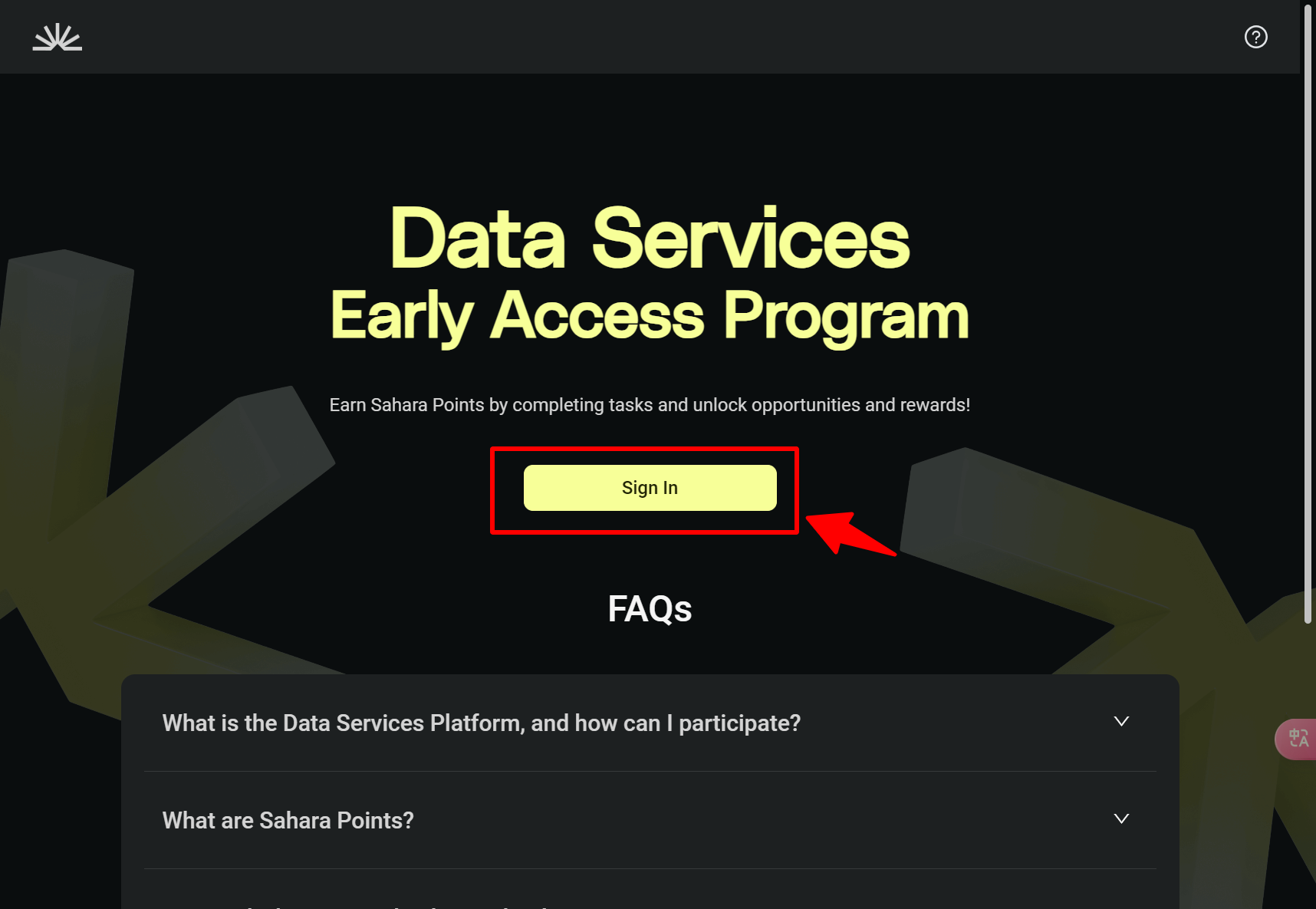
确认钱包已切换至`SaharaAI Testnet`网络，点击网站【**Sign In**】，连接钱包。

<figure><img src="/files/O5xrZpnCcyPSIt8aibg2" alt=""><figcaption></figcaption></figure>

### 注册个人资料

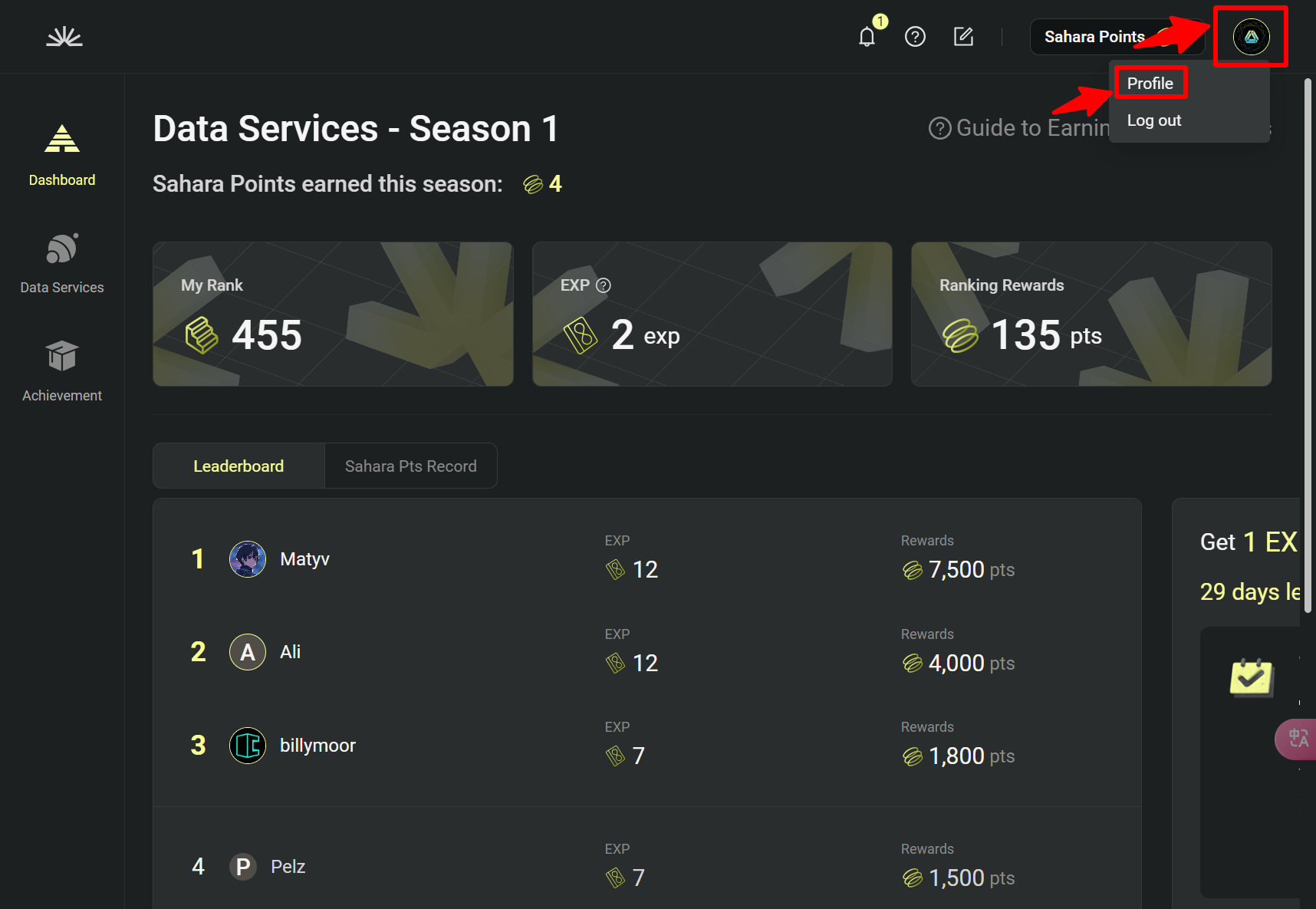
成功进入Sahara AI平台后，点击右上角头像，点击【**Profile**】，编辑个人资料。

<figure><img src="/files/fgoKP5LwoTsUsOlF1GIY" alt=""><figcaption></figcaption></figure>

### 编辑个人资料

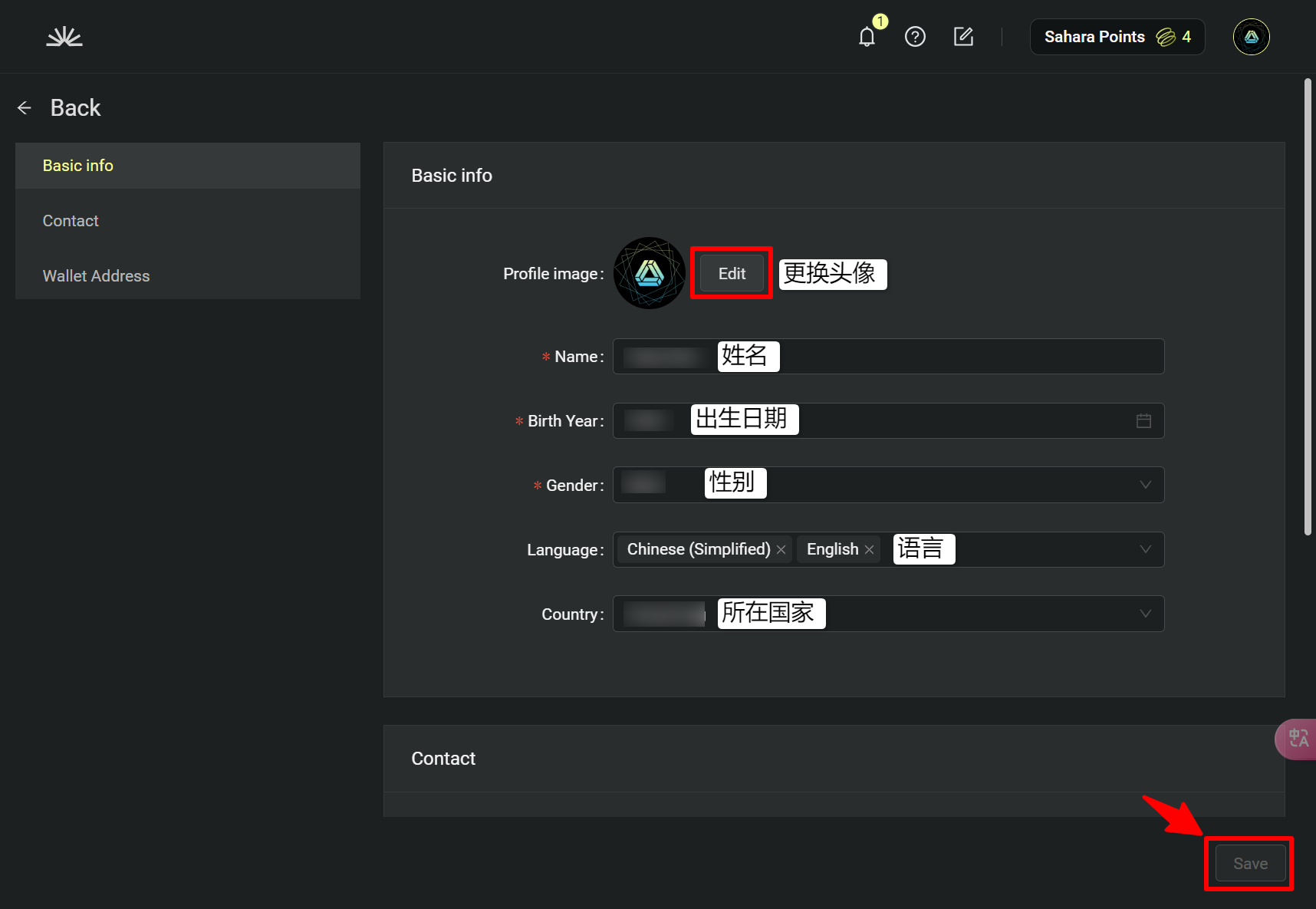
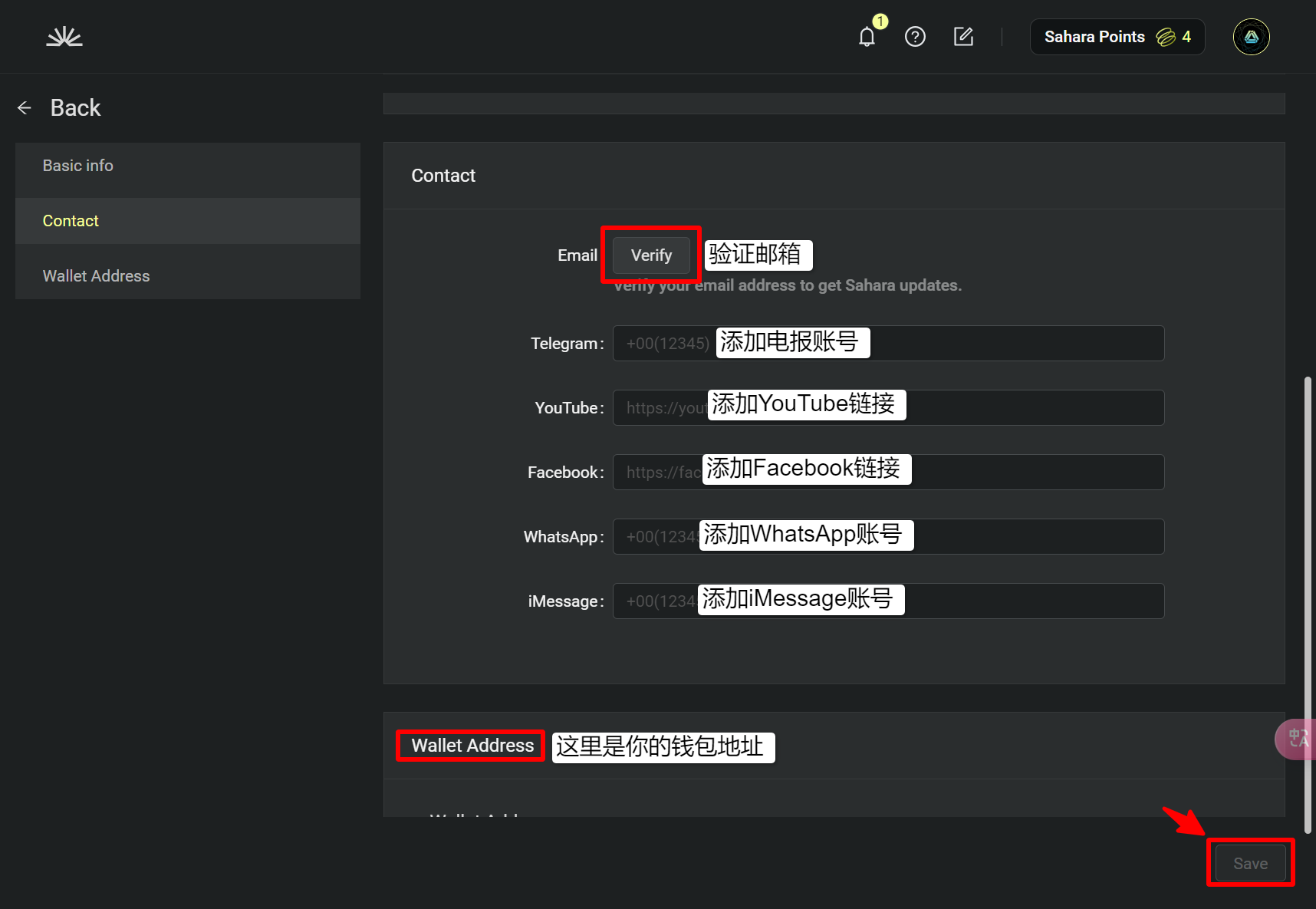
如图所示，编辑完成，分别点击右下角【**Save**】保存个人信息。

#### 基础信息

<figure><img src="/files/2nTneJMIAARg4j8mYmeH" alt=""><figcaption></figcaption></figure>

#### 联系信息和钱包地址

<figure><img src="/files/y75wD7QMy52LjkxBBhKq" alt=""><figcaption></figcaption></figure>


---

# Agent Instructions: Querying This Documentation

If you need additional information that is not directly available in this page, you can query the documentation dynamically by asking a question.

Perform an HTTP GET request on the current page URL with the `ask` query parameter:

```
GET https://www.docszh.com/sahara/testnet-tutorial/sign-in-testnet.md?ask=<question>
```

The question should be specific, self-contained, and written in natural language.
The response will contain a direct answer to the question and relevant excerpts and sources from the documentation.

Use this mechanism when the answer is not explicitly present in the current page, you need clarification or additional context, or you want to retrieve related documentation sections.